AI in UI/UX Design: How Enterprises Build Smarter, Faster, and More Adaptive Digital Experiences
AI in UI/UX design is no longer limited to faster mockups or automated copy suggestions. For enterprise teams, it is becoming an operating layer for research synthesis, interface generation, personalization, accessibility, design-system governance, and continuous product optimization.
The Strategic Role of AI in UI/UX Design
AI in UI/UX design gives enterprises the ability to move from static experience planning to adaptive experience intelligence. Instead of treating design as a sequence of research, wireframes, visual layouts, development handoff, and post-launch analytics, AI allows teams to connect these stages into a learning system. Research insights can inform product flows faster. Design systems can become more consistent. Interfaces can adapt to user intent. Accessibility risks can be identified earlier. Product decisions can be supported by behavioral evidence rather than opinion-heavy review cycles.
The enterprise opportunity is not simply “using generative AI to design screens.” That is the shallow layer. The deeper opportunity is creating a design intelligence architecture where AI supports decision-making across the product lifecycle while human designers, researchers, engineers, and product leaders remain accountable for quality, ethics, business alignment, and customer trust.
Key Insight
The most valuable enterprise use of AI in UI/UX design is not replacing designers. It is compressing low-value production work, increasing evidence quality, improving consistency, and allowing product teams to spend more time on strategic experience decisions.
What AI in UI/UX Design Actually Means
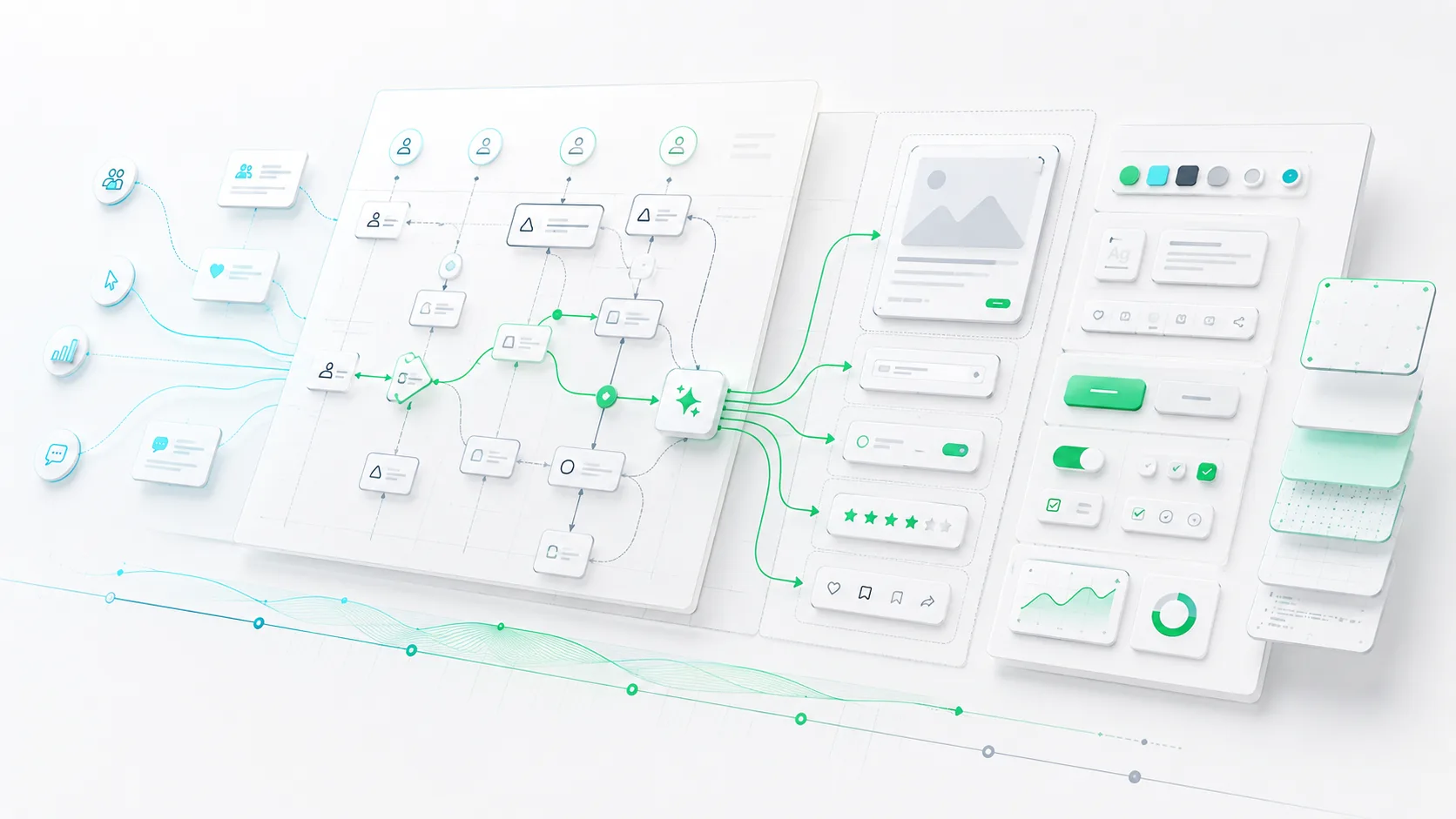
AI in UI/UX design refers to the use of machine learning, generative AI, natural language processing, behavioral analytics, recommendation systems, and intelligent automation to improve how digital experiences are researched, designed, tested, delivered, and optimized. It can support both UI work, such as layouts, visual hierarchy, component suggestions, and interaction patterns, and UX work, such as journey mapping, usability analysis, research synthesis, personalization, and task-flow optimization.
Research Intelligence
AI summarizes interviews, clusters feedback, identifies sentiment patterns, and helps researchers connect qualitative signals with product decisions.
Interface Generation
Generative AI can produce layout options, microcopy, component variations, onboarding flows, and early prototypes for faster iteration.
Experience Personalization
AI can adapt content, recommendations, product flows, and assistance patterns based on user behavior, intent, role, and context.
Design Governance
AI can detect inconsistencies, enforce design tokens, review accessibility issues, and support scalable design-system adoption.
A mature AI UX design strategy connects these capabilities into a workflow rather than treating them as disconnected tools. Enterprises should think about AI as an augmentation layer across research operations, product strategy, design systems, analytics, engineering delivery, and governance.
Why AI in UI/UX Design Matters Now
Enterprise product teams are under pressure to deliver better digital experiences faster, across more platforms, markets, languages, roles, accessibility requirements, and customer segments. Traditional design operations often struggle with this level of complexity. Research backlogs grow. Design systems drift. Product teams duplicate components. User journeys become fragmented. Analytics arrive too late to shape early decisions.
AI changes the operating model by making experience work more continuous. Instead of waiting for quarterly research cycles, teams can synthesize feedback in near real time. Instead of manually inspecting every screen for consistency, AI can flag component misuse. Instead of building one generic journey for every persona, intelligent interfaces can adapt flows based on user context.
Enterprise Signal
AI-powered user experience becomes most valuable when it reduces organizational latency: the delay between user behavior, product insight, design decision, engineering implementation, and measurable business impact.
The Shift from Static Interfaces to Adaptive Experiences
For years, digital products were designed as mostly fixed interfaces. Teams created flows for assumed personas and optimized them after launch. AI introduces a more dynamic model. Interfaces can interpret user intent, recommend next actions, adjust support depth, simplify complex tasks, and surface relevant content at the right moment.
The Shift from Manual Design Ops to Intelligent Design Systems
Design systems are often treated as documentation libraries. In an AI-enabled enterprise, the design system becomes an intelligent operational layer. It can recommend components, validate accessibility, identify off-brand experiences, support localization, and help engineering teams implement consistent UI at scale.
Core Use Cases of AI in UI/UX Design
Enterprise adoption should focus on high-leverage use cases where AI improves speed, consistency, insight quality, or user outcomes. The best use cases do not remove human judgment; they improve the inputs and execution environment around that judgment.
1. AI-Assisted UX Research
AI can summarize user interviews, tag support tickets, cluster survey responses, identify recurring friction points, and highlight unmet needs across large volumes of feedback.
2. Generative Wireframing
Designers can use AI to explore early layout directions, convert product requirements into flow concepts, and generate multiple interaction alternatives before refinement.
3. UX Personalization
AI can tailor onboarding, navigation, recommendations, help content, and product paths based on user role, behavior, maturity, account type, and intent signals.
4. Accessibility Review
AI can help detect contrast issues, missing alt text, unclear labels, overly complex flows, and interaction patterns that create barriers for users.
5. Design-System Automation
AI can recommend approved components, flag design-token drift, identify duplicate UI patterns, and assist with documentation generation.
6. Product Experimentation
AI can support hypothesis generation, segment analysis, experiment interpretation, and prioritization of design improvements based on behavioral data.
Enterprise Architecture for AI UX Design
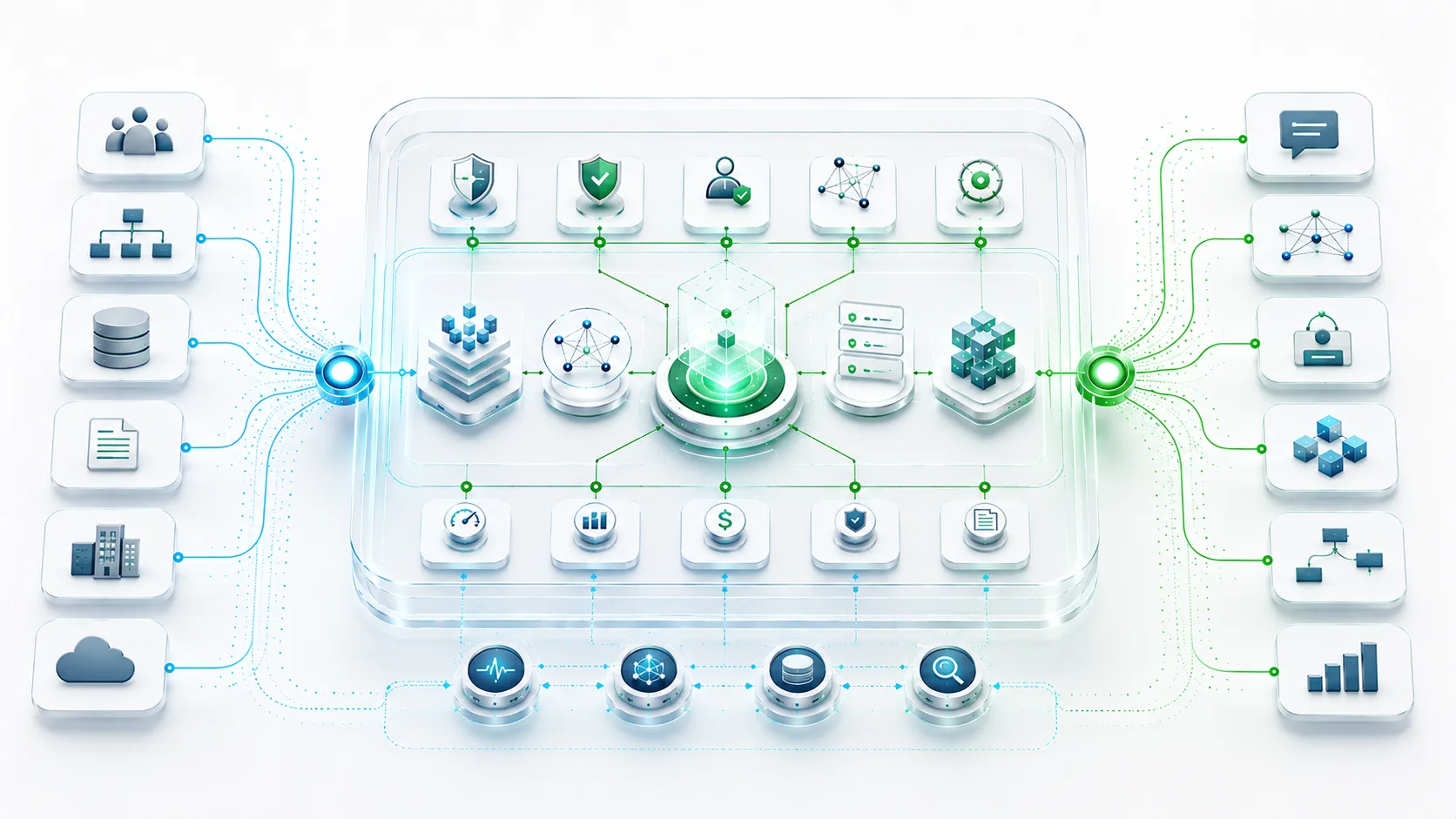
AI UX design should not operate as an uncontrolled set of plugins scattered across design teams. Enterprises need an architecture that connects design tools, analytics platforms, customer data systems, knowledge bases, experimentation platforms, product roadmaps, and governance controls.
Reference Architecture Layers
The Importance of Clean Product Data
AI-powered user experience depends on the quality of the data feeding it. If product events are poorly named, research repositories are fragmented, customer segments are inconsistent, or design-system metadata is incomplete, AI outputs will be less reliable. Enterprises should treat AI UX design as a data architecture challenge as much as a design workflow challenge.
The Role of LLMOps in Design Workflows
When language models are used to summarize research, generate UX copy, or support interface recommendations, teams need versioning, prompt governance, evaluation methods, human review, and monitoring. Without these controls, AI design workflows can become inconsistent, difficult to audit, and risky for regulated or brand-sensitive environments.
Key Takeaways
- ✓ AI in UI/UX design is most powerful when applied across research, design systems, personalization, testing, and governance.
- ✓ Enterprise teams should use AI to augment designers, researchers, and product leaders rather than replace human judgment.
- ✓ AI UX design requires strong data architecture, product analytics discipline, model governance, and design-system maturity.
- ✓ The highest-value outcomes include faster iteration, better accessibility, improved personalization, lower design-system drift, and stronger product decisions.
- ✓ Governance is essential because AI-generated experiences can introduce bias, inconsistency, privacy exposure, and usability degradation if unmanaged.
How AI Improves UX Research and Product Discovery
Research is one of the strongest enterprise applications of AI in UI/UX design. Large organizations collect enormous volumes of customer feedback through interviews, support tickets, sales calls, product analytics, reviews, surveys, and success-manager notes. The problem is not a lack of data; it is the difficulty of converting scattered signals into actionable product insight.
Research Synthesis at Scale
AI can help research teams identify patterns across qualitative data. It can group feedback by theme, detect emotional tone, surface recurring workflow blockers, and compare issues across customer segments. This allows researchers to spend less time manually tagging data and more time validating insights, understanding context, and shaping product direction.
From Insight Repositories to Decision Systems
Many enterprises have research repositories that behave like archives. AI can turn these repositories into decision-support systems. A product manager planning a new onboarding experience could query past research, support themes, adoption barriers, and segment-specific concerns before writing requirements. A designer could explore evidence behind a proposed layout. An executive could understand which usability issues are slowing revenue expansion.
Operational Advantage
AI-assisted research does not eliminate the need for direct user contact. It makes direct research more focused by revealing where the strongest patterns, contradictions, and knowledge gaps already exist.
AI UI Design: From Interface Production to Design-System Intelligence
AI UI design can accelerate interface production, but speed alone is not the goal. Enterprises need interfaces that are usable, accessible, consistent, brand-aligned, technically feasible, and maintainable. AI becomes valuable when it operates within the constraints of an approved design system rather than generating isolated screens without context.
Component-Aware Interface Generation
Instead of asking AI to produce generic interface concepts, enterprise teams should connect AI workflows to design tokens, component libraries, accessibility rules, content standards, and engineering constraints. This allows AI-generated concepts to remain closer to production reality.
Reducing Design-System Drift
Design-system drift happens when teams create one-off components, inconsistent spacing, conflicting patterns, or unapproved visual treatments. AI can help detect these issues across design files and implemented UI. Over time, this creates a stronger connection between design intent and production quality.
Before AI
- Manual design reviews
- Slow component audits
- Fragmented feedback loops
- Limited visibility into drift
With AI
- Automated consistency checks
- Component recommendations
- Faster accessibility review
- Continuous design-system governance
Personalization and Intelligent Interfaces
Personalization is one of the most commercially important applications of AI-powered user experience. For enterprise SaaS, financial platforms, healthcare systems, marketplaces, logistics tools, and internal business applications, a single generic journey often fails to serve users with different roles, expertise levels, goals, permissions, and workflows.
Role-Based Experience Adaptation
AI can adapt product experiences based on whether a user is an administrator, analyst, operator, executive, developer, buyer, or first-time user. The interface can prioritize relevant actions, simplify navigation, recommend next steps, and reduce cognitive load.
Contextual Assistance
Intelligent assistance can appear where users need it most: during onboarding, complex configuration, data interpretation, workflow exceptions, or decision-heavy moments. This is especially valuable in enterprise products where users may face dense interfaces, regulated workflows, or infrequent high-stakes tasks.
Personalization Guardrail
Enterprise personalization should be explainable, permission-aware, privacy-conscious, and reversible. Users should not feel trapped inside an opaque algorithmic experience they cannot understand or control.
Security, Privacy, and Governance Considerations
AI in UI/UX design introduces new governance responsibilities. Design teams may process customer feedback, session recordings, user behavior, support conversations, product analytics, and internal business context. If this information is sent into uncontrolled AI tools, enterprises risk privacy exposure, intellectual property leakage, compliance issues, and inconsistent decision-making.
Data Protection
Sensitive user data should be anonymized, minimized, access-controlled, and routed only through approved AI systems.
Bias Review
AI recommendations should be reviewed for exclusionary patterns, unfair assumptions, and uneven experience quality across user groups.
Auditability
Teams should track which AI tools influenced research summaries, content recommendations, design decisions, or personalization rules.
Human Accountability Remains Essential
AI can propose, summarize, detect, and recommend. It should not become the final authority on whether an experience is appropriate, inclusive, usable, compliant, or aligned with business strategy. Enterprises need review workflows that define where AI can act autonomously and where human approval is required.
Common Mistakes
Many AI UX initiatives fail because enterprises adopt tools faster than they redesign the operating model around those tools. The result is faster production but weaker strategy, more inconsistency, and unclear accountability.
- Using AI as a screen factory. Generating many interface variations is not the same as solving the right user problem.
- Ignoring design-system constraints. AI outputs that do not respect tokens, components, and engineering standards create downstream rework.
- Over-personalizing the interface. Excessive adaptation can confuse users, reduce predictability, and make support harder.
- Sending sensitive data into unmanaged tools. Research notes, user behavior, and product plans require strict handling.
- Skipping accessibility validation. AI-generated UI still needs rigorous accessibility review and inclusive design testing.
- Treating AI output as truth. AI summaries and recommendations should be validated against evidence, context, and user research.
Enterprise Architecture Perspective
From an enterprise architecture perspective, AI in UI/UX design is not a design-tool decision. It is a cross-functional capability that touches data governance, product analytics, design systems, frontend architecture, experimentation platforms, security policy, and customer experience strategy.
The architecture should define where AI is allowed to operate, what data it can access, how outputs are evaluated, how human review is enforced, and how insights flow back into product roadmaps. Without this system-level perspective, AI adoption becomes fragmented. Individual teams may gain speed, but the organization does not gain maturity.
Architecture Principle
AI-enabled design should be integrated with the enterprise product operating model. The goal is not isolated creativity acceleration; the goal is a measurable improvement in product quality, usability, delivery speed, accessibility, and business outcomes.
Implementation Strategy for AI in UI/UX Design
A successful enterprise implementation should begin with focused workflows, measurable outcomes, and clear governance. Teams should avoid broad, vague AI adoption and instead select high-value use cases where impact can be validated.
Phase 1: Assess Design and Data Maturity
Evaluate the quality of design systems, research repositories, product analytics, user segmentation, accessibility standards, and design-to-engineering handoff. AI will amplify both strengths and weaknesses in these foundations.
Phase 2: Select High-Leverage Workflows
Start with workflows such as research synthesis, design-system compliance checks, UX copy support, onboarding personalization, accessibility review, or prototype exploration. Prioritize areas with repeated work, measurable friction, and clear review criteria.
Phase 3: Establish Governance and Evaluation
Define acceptable AI usage, data handling rules, review checkpoints, output evaluation standards, and ownership. AI-generated research summaries, content, and design recommendations should have clear validation paths.
Phase 4: Integrate with Product Delivery
AI UX workflows should connect to product roadmaps, design tools, engineering systems, analytics dashboards, and experimentation processes. Integration ensures that AI does not remain a side activity but becomes part of the delivery operating model.
Implementation Checklist
Foundation
- Audit design-system maturity
- Map research repositories
- Review product analytics quality
- Define UX success metrics
Governance
- Set AI usage policies
- Protect sensitive data
- Define human review gates
- Track AI-assisted decisions
Execution
- Pilot focused workflows
- Measure cycle-time reduction
- Validate usability impact
- Scale approved patterns
Measuring the Business Impact of AI UX Design
Enterprise leaders should measure AI in UI/UX design through operational and experience outcomes. A tool that generates screens faster is not valuable if usability declines, accessibility issues increase, or engineering rework grows. The right measurement model connects design efficiency with customer and business value.
Metrics to Track
How YggyTech Helps
YggyTech helps enterprises design and implement AI-enabled UI/UX workflows that are architecture-first, secure, scalable, and aligned with business outcomes. We approach AI in UI/UX design as a system, not a collection of disconnected tools.
AI UX Strategy
We identify high-value AI use cases across research, design systems, personalization, experimentation, and product delivery.
Architecture Design
We design the data, integration, governance, and AI infrastructure required for reliable enterprise adoption.
Implementation Support
We help teams pilot, validate, and scale AI-powered design workflows with measurable outcomes and strong operational controls.
Our work spans enterprise AI, LLMOps, cloud architecture, DevSecOps, software architecture, product engineering, and digital transformation. That cross-domain perspective matters because AI UX design succeeds only when design, engineering, data, security, and business strategy operate as one system.
Build AI-Enabled Product Experiences with Enterprise Discipline
YggyTech helps enterprise teams move beyond AI experimentation and build intelligent design workflows that improve usability, scalability, personalization, accessibility, and product delivery maturity.
Talk to YggyTechFAQs About AI in UI/UX Design
What is AI in UI/UX design?
AI in UI/UX design is the use of artificial intelligence to support user research, interface generation, personalization, accessibility review, design-system governance, usability analysis, and product optimization.
Will AI replace UI/UX designers?
AI will not replace strong UI/UX designers in enterprise environments. It will reduce repetitive production work and increase the need for designers who can think strategically about research, systems, ethics, interaction quality, and business outcomes.
How can enterprises use AI UX design safely?
Enterprises should use approved tools, protect sensitive data, define review workflows, validate AI outputs, monitor bias, enforce accessibility standards, and connect AI design workflows to broader governance policies.
What are the best use cases for AI in UI/UX design?
The strongest use cases include research synthesis, generative prototyping, UX copy support, personalization, accessibility checks, design-system compliance, user feedback analysis, and product experimentation support.
Why does AI in UI/UX design matter for digital transformation?
AI in UI/UX design matters for digital transformation because it helps enterprises create faster, more adaptive, more accessible, and more data-informed product experiences. It improves how organizations learn from users and translate insight into scalable digital systems.

Mason Carter
Cloud & Infrastructure Engineer
Mason focuses on scalable cloud ecosystems, DevOps modernization, and secure distributed infrastructure. His insights at YGGY Tech explore resilient architecture design, Kubernetes operations, cybersecurity strategy, and enterprise scalability.